
Reducing "Friction": UX Principles for Your Sales Process
Every click costs you a client. Learn how to apply User Experience design to your sales funnel to increase your conversion rate.
Introduction
We talk a lot about UX (User Experience) when building apps or websites. We want the user to get to the "Buy" button as fast as possible.
But we ignore UX when it comes to our own sales process.
We make clients jump through hoops. We make them download apps. We make them print things.
Every step is Friction. And Friction reduces Conversion.
The Friction Audit
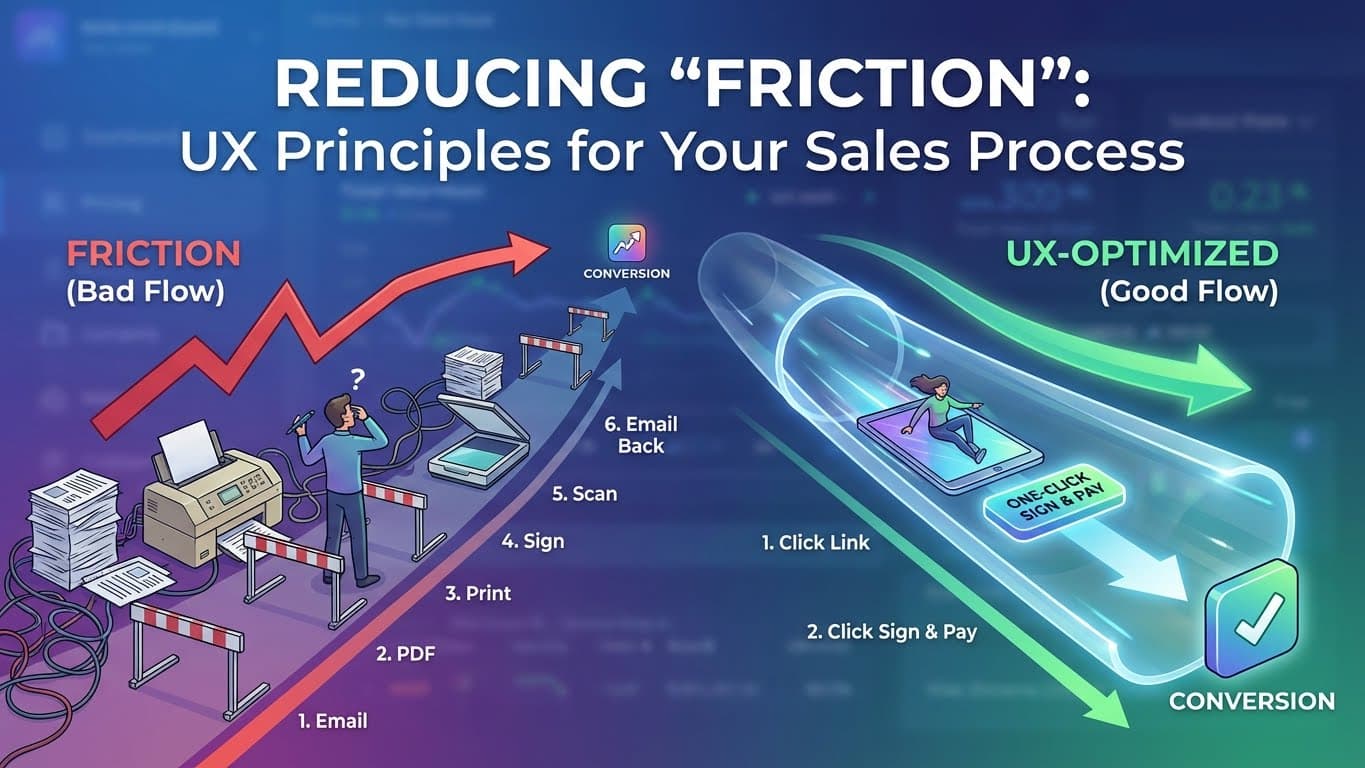
Look at your current process. How many "clicks" does it take for a client to pay you?
Bad Flow:
- Open email.
- Download PDF.
- Open PDF.
- Print PDF.
- Sign.
- Scan.
- Email back.
- Ask "Where do I send the check?"
That is huge friction.
Good Flow (Manager List):
- Click link.
- Click "Sign."
- Type Name.
- Done.
The One-Click Rule
In e-commerce, Amazon patented "1-Click Buying" because it made them billions.
In freelancing, you want "1-Click Closing."
When you send a Live Link, the client is already in the closing environment. There is no context switching. They don't have to leave the browser. They don't have to open a new app.
The distance between "Reading" and "Signing" is zero.
Cognitive Friction
Friction isn't just physical clicks. It's mental effort.
If your proposal is confusing, that is Cognitive Friction.
- "Wait, does this total include tax?"
- "Is the timeline 4 weeks or 6 weeks?"
Manager List reduces cognitive friction by:
- Auto-calculating totals (no math errors).
- Hiding unselected options (visual clarity).
- Clearly labeling "Terms" in a standard format.
A confused mind says No. A clear mind says Yes.
Conclusion
Design your sales process like you design a product. Make it beautiful. Make it fast. Make it obvious.
Make it easy for them to give you money.
Frequently Asked Questions
- Does "too easy" feel unprofessional?
- No. Apple products are easy. Uber is easy. Ease is the ultimate sign of sophistication. Complexity feels amateur.
- What if my legal team requires a wet signature?
- Unless you are working with government or massive enterprise legacy contracts, digital signatures are the standard. Don't invent legal hurdles that don't exist.